Reporting
Last updated: September 2, 2026
Reporting
Client Reporting gives you visibility into spend, open requests, and completion times across your account. Select a report type to get started.
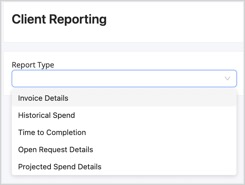
Historical Spend
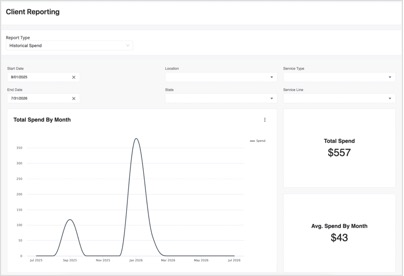
The Historical Spend report outlines total spend by month as a default. You can adjust the start and end dates as well as filter by location, service type, state, and service line.
Spend can also be broken out by location and request type, with a detailed, exportable table below the chart.
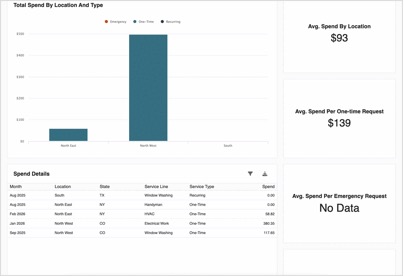
At the bottom of any report, select the download icon to export the data into an Excel spreadsheet for further review. |
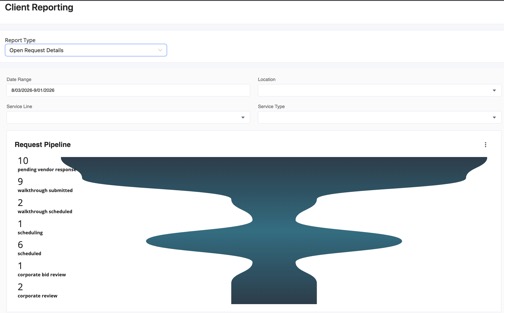
Open Request Details
• Can filter by date range, location, service type, and service line
• Ability to export the data to review all details regarding your open work order requests — status, date submitted, age of ticket, pending costs, and more