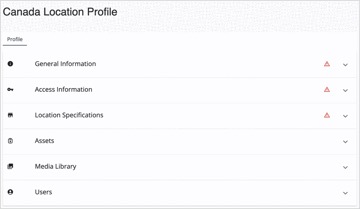
Location Profiles
Last updated: September 2, 2026
Location Profiles
Your location hierarchy is shown in the Locations tab. This determines how your local and regional users are assigned to the locations they oversee.
If your location hierarchy changes, reach out to your Service Manager with an updated list of your regions, the locations under each region, and an updated users list. |
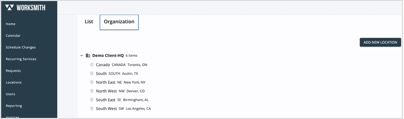
The List view shows the same locations with contact details and quick access to each profile.
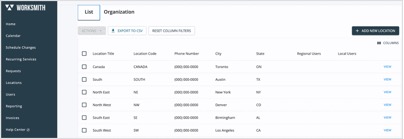
To add a new location, select “Add New Location” and input the required information. Our team is then alerted and will assign primary vendors for all core service lines.
Inside a location profile
Select “View” on any location to access its unique profile, including general information, access details, business hours, assets (HVAC units, lighting fixtures, and more), and a media library where you can house photos of your equipment and store.